 Cosmo
CosmoA living island at the top of your screen.
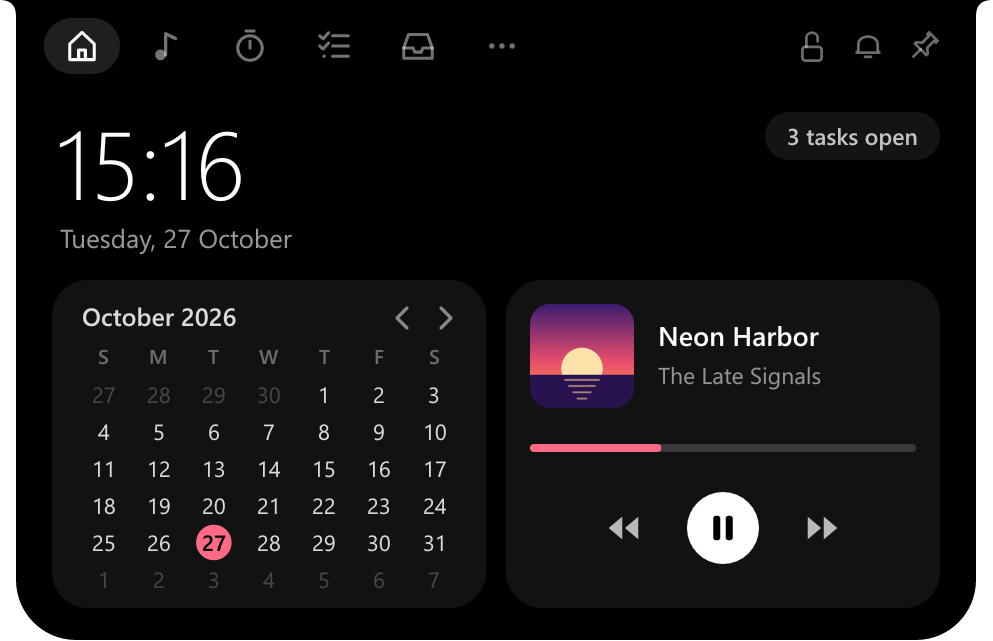
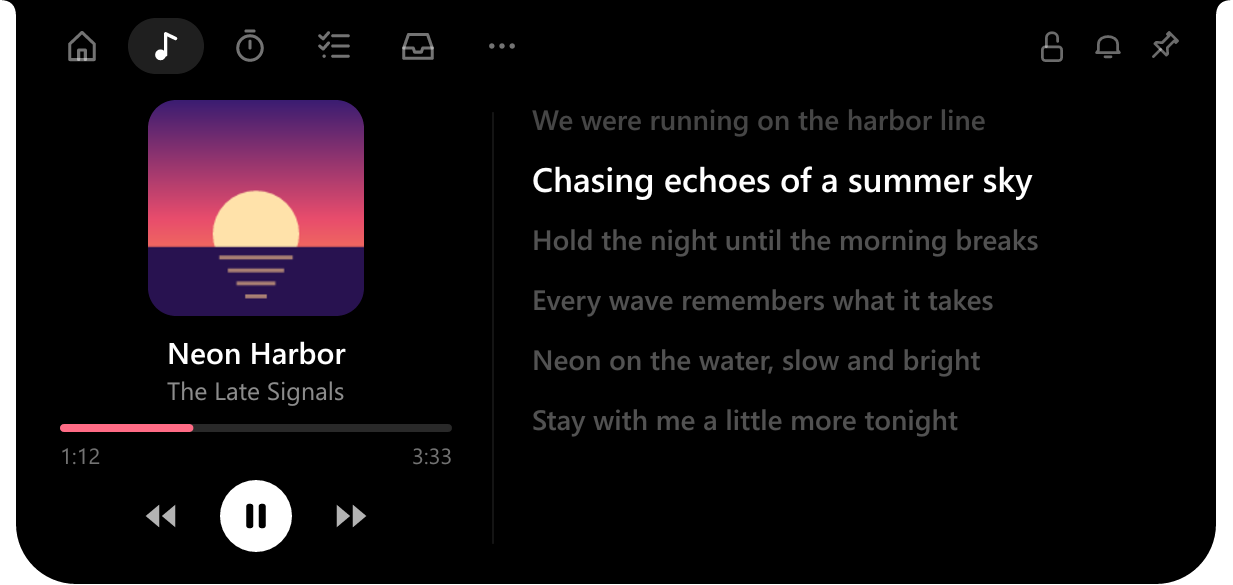
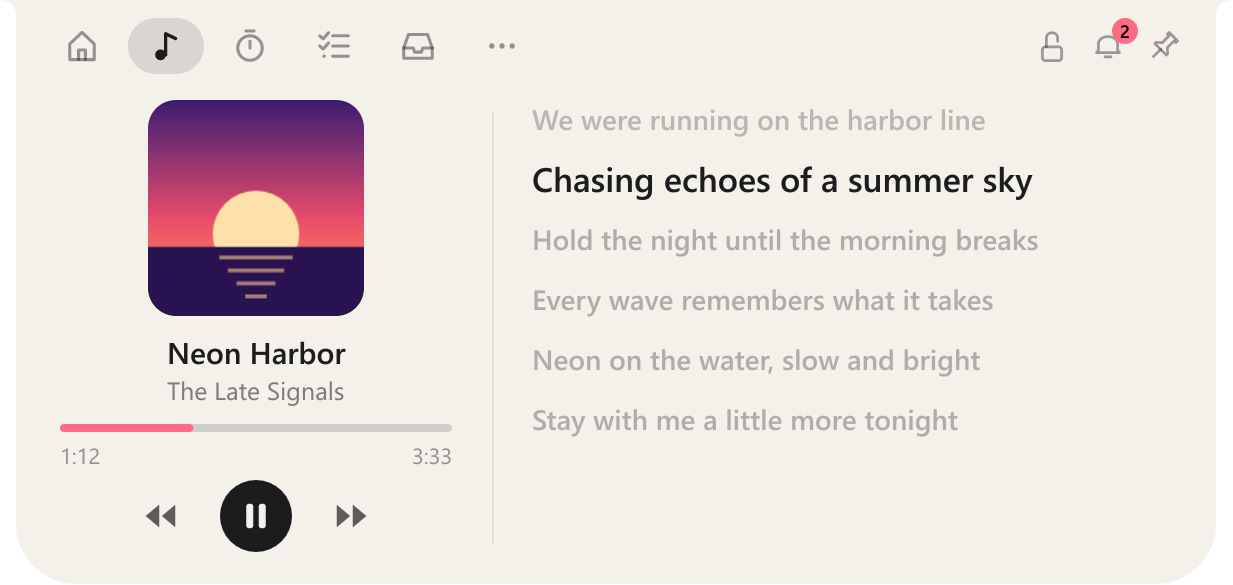
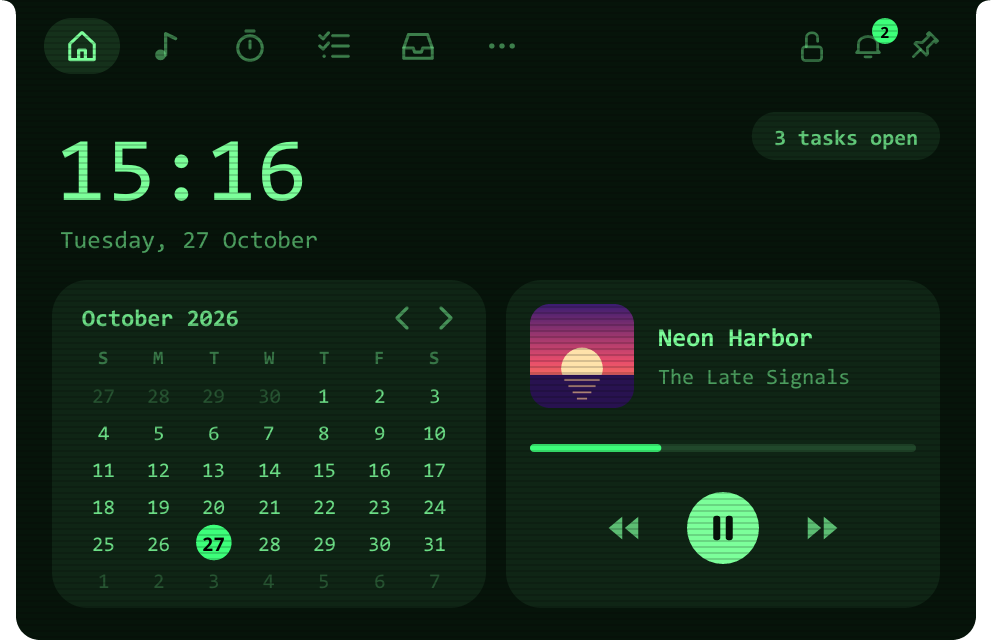
Cosmo rests as a small clock, shows the line being sung while your music plays, and opens into a tiny dashboard when your mouse comes by.


- Synced lyrics
- Media controls
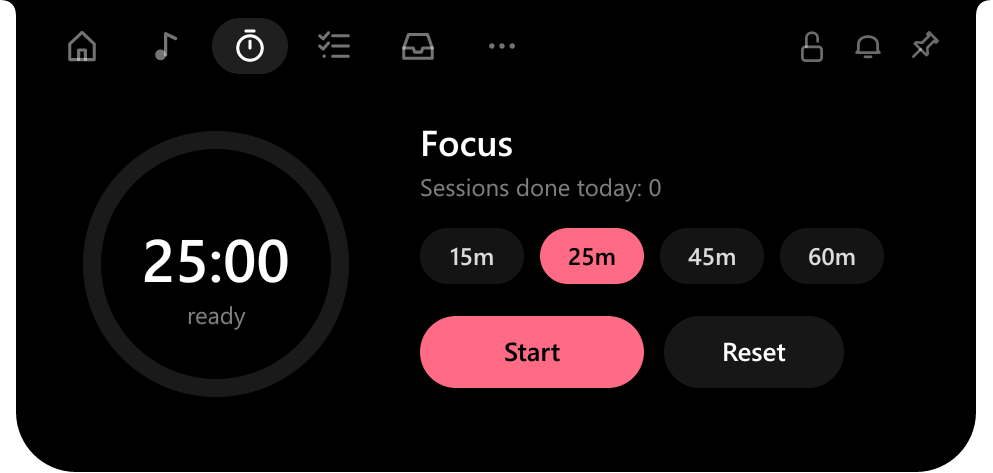
- Focus timer
- Tasks
- Calendar
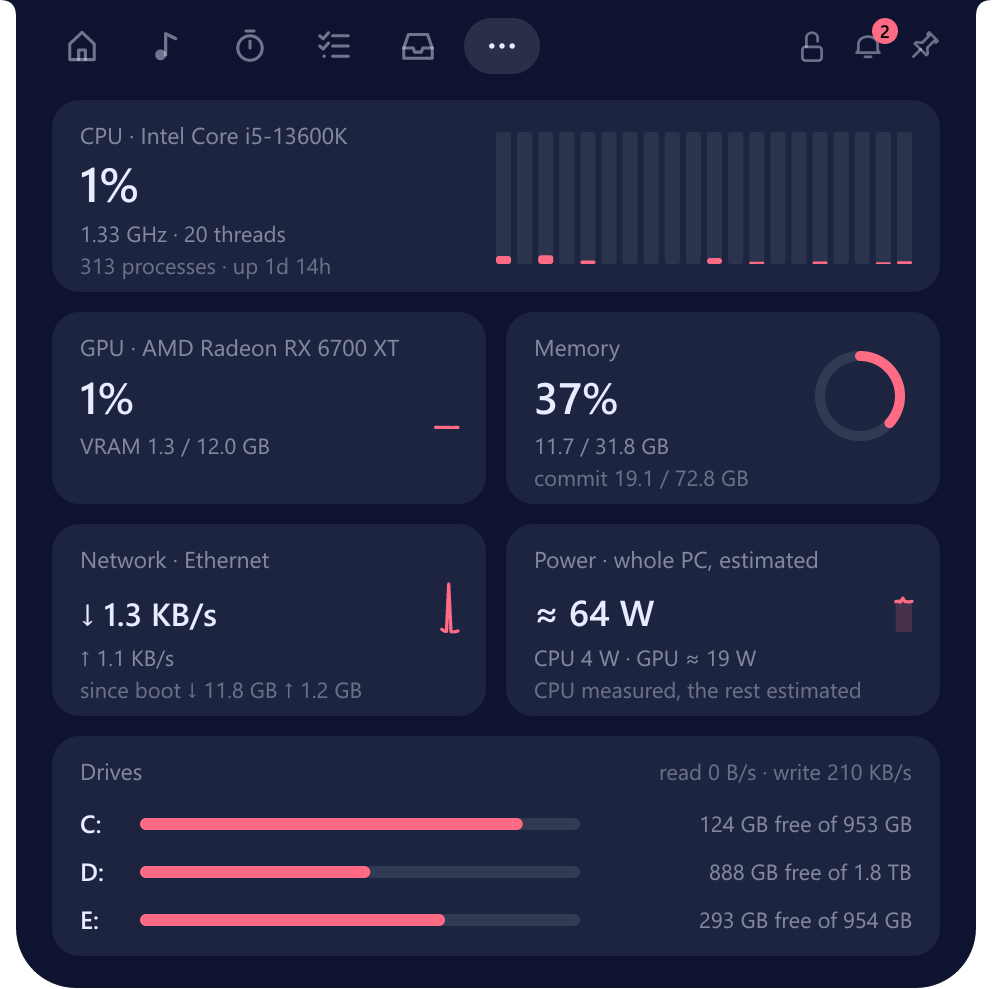
- CPU & GPU
- Power in watts
- FPS overlay
- File shelf
- Phone drop
- Clipboard history
- App launcher
- Notifications
- Five themes
- Six fonts
Everything a glance away.
Hover to open, move away to close. Nothing to launch, no window to find.
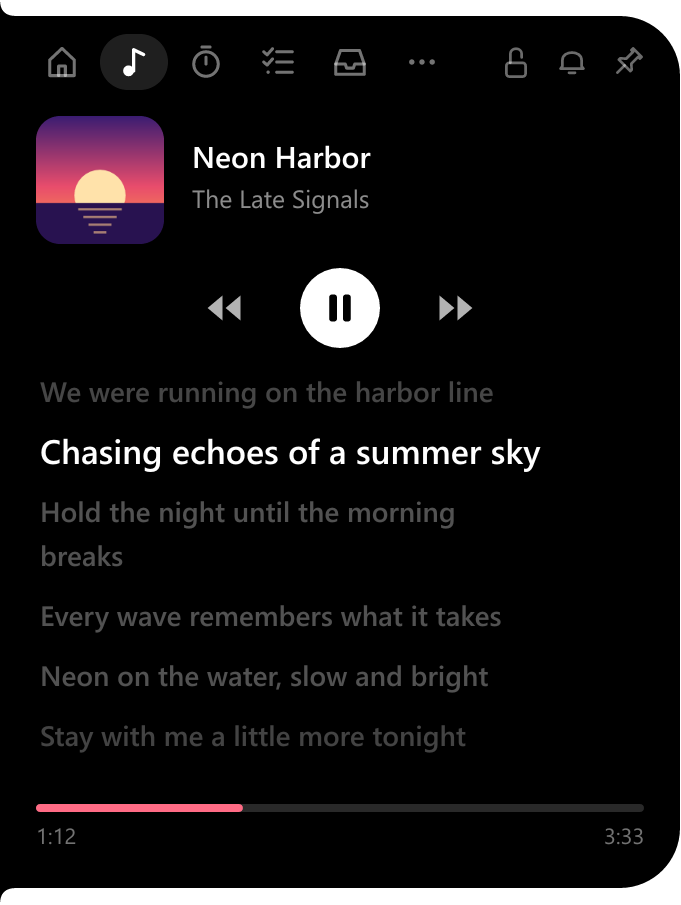
Your song, and every word of it.
Works with Spotify, YouTube in the browser, Apple Music, or any app in Windows' media controls. Synced lyrics scroll beside the cover, and the line being sung stays on the closed island.
- Play, pause and skip from the island
- Accent colour picked from the album cover
- Lyrics from LRCLIB, saved so each song is looked up once
What your PC is doing, down to the watt.
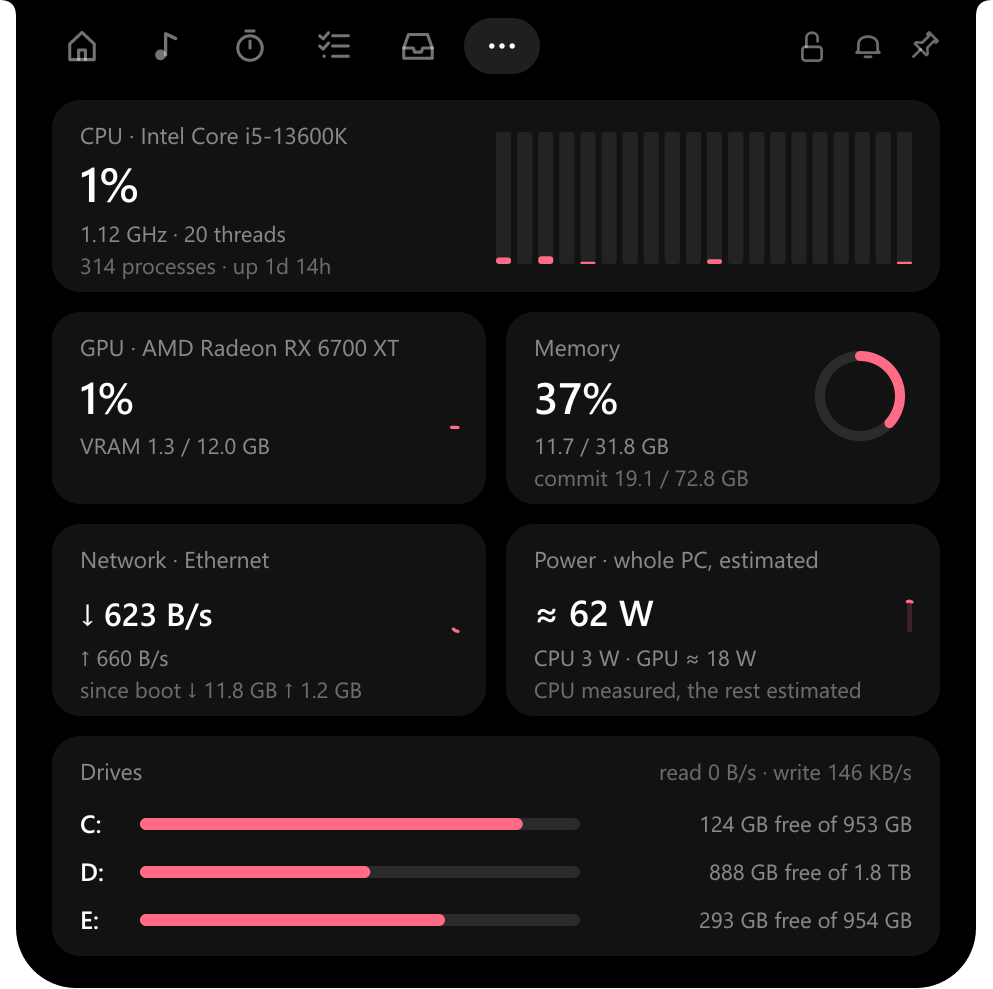
CPU load per thread, GPU and VRAM, memory, network, every drive with its reads and writes, and the power the whole PC is drawing. Read from the same counters Task Manager uses.
- CPU power measured from the chip where it reports it
- Processes, clock speed and uptime at a glance
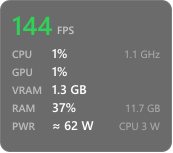
Frames per second, without touching the game.
FPS is counted from Windows' own frame log, so nothing is injected into the game and anti-cheat has nothing to see. Show it on the island, or in a small overlay in a corner of the game.
- FPS only, or FPS with CPU, GPU, RAM and power
- Alt + Shift + G switches modes, Alt + Shift + F hides the overlay
- DirectX 9 to 12 games

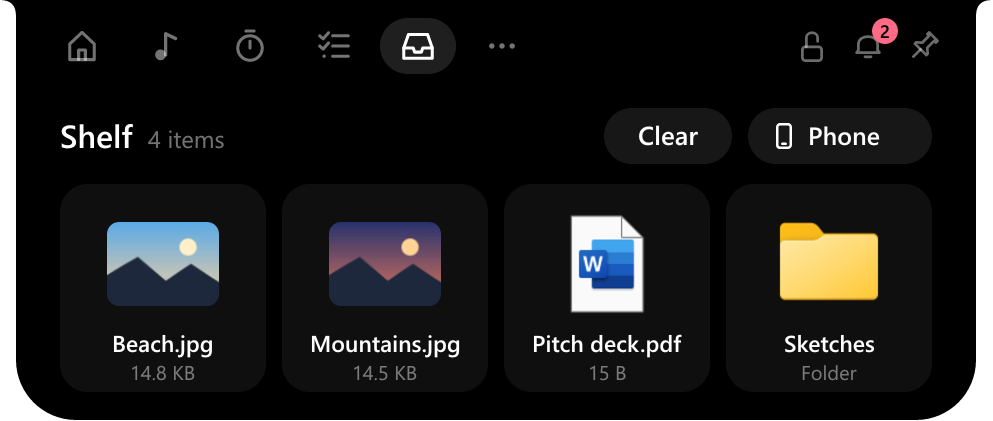
A shelf for files on the move.
Drop files on the island and drag them out later, into a chat, an email or another folder. Only their places are remembered; nothing is copied.
- Send photos from your phone by scanning a QR code: same Wi-Fi, nothing to install
- The phone link works only while its card is open
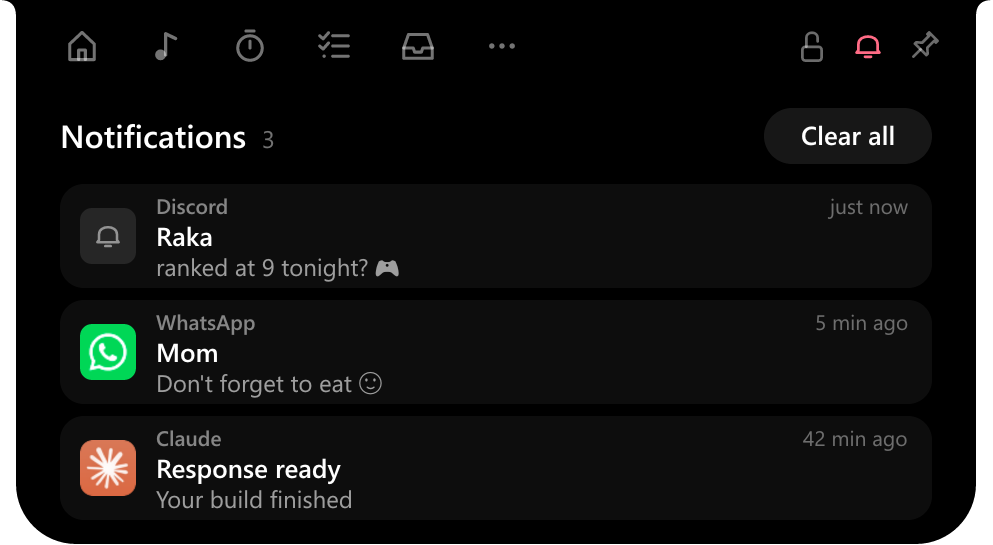
Messages, without the pile.
Discord, WhatsApp, mail and other apps peek on the closed island for a moment; the bell keeps count of what you haven't opened. Click one to open its app.
- Windows' own system notices are left out
- Read from Action Center, never saved
Put it where it suits you.
Drag the island to any edge. At the top it hangs as a notch; on the left or right it stands up, with pages laid out to match; at the bottom it opens upward; anywhere else it floats. It snaps to the middle of each edge, and a lock keeps it there.
Five looks to start from.
Classic, Smoke, Midnight, Light and Retro are only starting points: change the background, text and accent with a colour picker, pick from six fonts, add scanlines.
And the little things.
Focus timer
15, 25, 45 or 60 minutes, still counting on the closed island.
Tasks
A short to-do list that's always one hover away.
Calendar
The month on Home, starting on the day your region starts the week.
Clipboard history
Off until you turn it on. Kept in memory only; password manager copies are skipped.
Apps
Pin any installed app, Store app or Steam game and open it in one click.
Stays out of the way
Hides over fullscreen apps if you like, and never opens by itself over a game.
Light enough to forget it's there.
Native Rust, drawn pixel by pixel. No browser engine inside.
Stays on your PC
No account, no tracking. Clipboard history and notifications are never written to disk.
One thing goes out
To find lyrics, the song's title, artist and length are sent to LRCLIB. Nothing else.
Up and running in a minute.
Download
Get Cosmo-Setup.exe and run it. It installs for your account only, so no admin password is needed.
If SmartScreen asks
The installer isn't code-signed yet, so Windows may say it "protected your PC". Choose More info, then Run anyway.
Hover the island
It appears at the top of your screen. Right-click it for the menu; drag it to move it.

Get Cosmo
Free for Windows 10 and 11 (64-bit). Remove it any time from Settings › Apps.
Questions
Why doesn't the FPS show up?
Reading Windows' frame log needs your account to be in the "Performance Log Users" group. Right-click the island, open Gaming mode and choose the permission item: Windows asks once, then sign out and back in. Vulkan and OpenGL games aren't counted yet.
The overlay doesn't appear over my game.
Nothing can draw over a game in old-style exclusive fullscreen. Switch the game to borderless or windowed fullscreen. If Fullscreen Optimizations were turned off for that game, the Game page offers to turn them back on.
Notifications are empty.
Windows has to allow it: Settings › Privacy & security › Notifications › Let apps access your notifications.
Where are my settings kept?
In %APPDATA%\Cosmo: settings, tasks, pinned apps and saved lyrics. Uninstalling asks whether to remove them too.
Can I build it myself?
Yes. With Rust installed, cargo run --release in the repository. installer\build.ps1 builds the installer with Inno Setup.